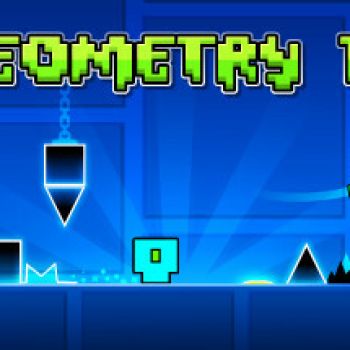
Explore Geometry Dash in Depth
About Geometry Dash
Geometry Dash is a rhythm‑based platformer that challenges players to navigate a series of fast‑moving obstacles set to energetic music. Each level is a short burst of precision timing, where a single misstep sends the character back to the start. The game’s minimalist visual style combines bright geometric shapes with a pulsating soundtrack, creating an addictive loop that keeps players coming back for more. Whether you are a casual gamer looking for a quick challenge or a speedrunner chasing perfect runs, Geometry Dash offers a rewarding experience that tests reflexes and concentration.
Key Highlights of the Game
- Over twenty official levels that increase in difficulty gradually.
- User‑generated levels that expand replay value indefinitely.
- Simple one‑tap control scheme that makes the game easy to learn but hard to master.
- Dynamic soundtrack that syncs with obstacles, enhancing the sense of rhythm.
- Customizable icons and color schemes for personal expression.
Helpful Strategies for Newcomers
- Practice each level in practice mode to memorize tricky sections before attempting a full run.
- Focus on the beat of the music; many obstacles line up with the rhythm.
- Keep your finger steady and avoid rapid tapping, which can lead to missed jumps.
- Watch community videos for timing tips on especially difficult segments.
- Take short breaks after several attempts to keep your reactions sharp.
Reasons to Dive Into This Rhythm Platformer
The appeal of Geometry Dash lies in its blend of simple controls and demanding level design. The instant feedback from each failure creates a compelling loop of learning and improvement. With a vibrant community that constantly shares new levels, the game never feels stale. Its accessibility across browsers and mobile devices means you can enjoy a quick session anywhere, making it an ideal choice for players who enjoy fast‑paced challenges.
How to play
Basic Controls
- Tap or click the screen to make the cube jump.
- Hold the tap to perform a longer jump when needed.
- Release the tap to let the cube fall back to the ground.
Progressing Through Levels
- Select a level from the main menu; official levels are listed first.
- Listen to the background music and watch the timing of obstacles.
- Use practice mode to place checkpoints and rehearse difficult sections.
- Complete the level without hitting any spikes or falling off the platform to earn a star.
- Earn new icons and color options by achieving high scores or completing secret challenges.
Player Support and Common Queries
What platforms can I play Geometry Dash on?
The game is available as a web‑based version that runs in most modern browsers. It also has mobile adaptations for iOS and Android devices, allowing you to enjoy the same levels on a touchscreen.
Is there a free version of the game?
Yes, Geometry Dash offers a free lite version that includes a selection of official levels and basic customization options. Additional content can be unlocked through in‑game purchases or by completing challenges.
Can I create my own levels?
The game includes a level editor that lets players design custom stages using the same geometric assets and music synchronization tools found in the official levels. These creations can be shared with the community for others to try.
How do I earn new icons and colors?
New icons and color palettes are awarded for completing levels with high ratings, achieving perfect runs, or unlocking secret achievements hidden throughout the game.
What should I do if I encounter a bug?
Report the issue through the official support page or community forums. Providing details such as the level name, device type, and a brief description of the problem helps the developers address the bug more quickly.